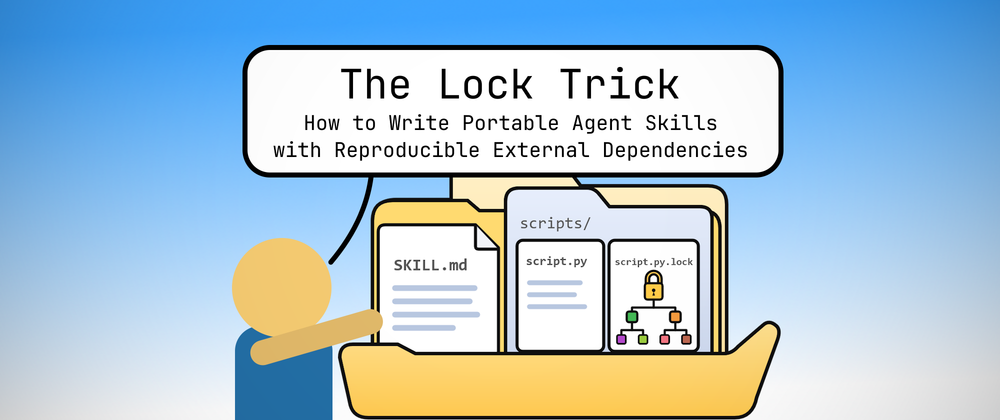
The Lock Trick: How to Write Portable Agent Skills with Reproducible External Dependencies
I've been writing a lot of agent skills at my day job. Unfortunately, as soon as the skill scripts need anything beyond the standard library, portability across harnesses gets a lot harder than it sounds. In this article, I'll share how to write portable agent skills with reproducible external dependencies with the Lock Trick.
Published
I’ve been writing a lot of agent skills at my day job.
For many enterprises, the humble SKILL.md file gives them a compelling reason to finally document their workflows, processes, and protocols. These agent skills come in all shapes and sizes:
- Simple documentation skills for business/infrastructure context
- Data sourcing and transformation skill wrappers for MCP connectors
- Meticulous definitions of acceptance criteria for various tasks
- Complex orchestration of standard operating procedures
Interestingly, many of these sub-workflows can be done deterministically (e.g., JSON transformations, HTML rendering, condition checks, and basic classification). Their entry points and decision criteria just happen to be in fuzzy natural language, but the overall orchestration tends to be over mostly deterministic sub-procedures.
That’s why my job (as a software engineer) is to wrangle these skills and delegate as much bespoke logic as possible into deterministic scripts (e.g., the scripts/ directory) and even potentially hoist some of them to the infrastructure layer (e.g., data pipelines, bespoke MCP connectors, custom harnesses, etc.). Not only does this make the skill more reliable, but it also significantly reduces token costs and workflow execution time.1
However, this approach comes with a significant drawback: packaged scripts typically don’t have access to powerful external packages such as pydantic and beautifulsoup4. For maximum portability across harnesses (e.g., Claude Code, Claude Cowork, Codex, ChatGPT Work, etc.), usage must be restricted to the standard library.
It’s worth clarifying here what I mean by “portable”.
I work with enterprise clients who use Claude Cowork and ChatGPT Work for their daily knowledge work. That means the agent skills that I write should work within the cloud sandboxes of Claude Cowork and ChatGPT Work.
The common denominator between the two harnesses is that they both support Python (python + uv/pip) and JavaScript (node + npm). Therefore, a “portable” agent skill with scripts should only use what’s available in Python and JavaScript out of the box.
To Python’s credit, its standard library is quite formidable. In fact, when writing portable agent skill scripts, I default to Python over JavaScript just because the experience is far more “batteries-included” than the equivalent offering by the Node.js standard modules. But if you’d ask me, I’d much rather write in TypeScript.
But, once you start dealing with advanced data transformations involving JSON, CSV, HTML emails, and spreadsheets-as-data-frames (among other staples of the office experience), you quickly run into the limitations of the standard library and need to start using external dependencies to keep your sanity.2
Where the Others Failed
So, how do we solve this problem? How does one conveniently, reliably, securely, and quickly pull in external dependencies for agent skill scripts?
- Convenience: I want to be able to run scripts without a dedicated pre-install step (e.g.,
pip install). - Reliability: I want to make sure that the dependencies that I pull in today will be the same version that I pulled in two months ago.
- Security: I want to rest assured that I can trust my supply chain of known safe dependencies.
- Performance: I want a quick installation that doesn’t redownload packages across repeat invocations in the same session.
We have several solutions here, but only one of them ticks all of these boxes. That’s what we’ll talk about for the rest of this article. But first, here are my failed attempts.
The Project Manifest Trick
The most obvious first attempt at this problem is to place a pyproject.toml or a requirements.txt at the root directory of the agent skill. Then, in the SKILL.md, simply prompt that uv sync or pip install is a mandatory setup step. With an accompanying lockfile like uv.lock, we can even ensure secure and reproducible dependencies.
Unfortunately, this method fails the convenience rubric. We shouldn’t have to introduce instruction noise just to install dependencies. Never mind the fact that we have to repeat this boilerplate for every single agent skill that we distribute!
Most importantly, this doesn’t even work! When agent skills are mounted onto the Claude Cowork cloud sandbox, the skill directories are read-only. There are two major consequences from this crucial implementation detail:
- Because
uvoperates in virtual environments, a simpleuv syncimmediately fails to create the required.venv/directory beside thepyproject.tomlmanifest in the read-only skill root. - Because
pipoperates at the system level, we are forced to invokepip install --break-system-packagesinstead. Yikes… 😬
The Workspace Trick
So, if the problem is the read-only mount, what if we just hoist the virtual environment into the connected workspace directory?
In Claude Cowork parlance, the “connected workspace directory” is whatever host directory you chose to mount into the cloud sandbox. In the UI, this is presented as “Claude Projects”. This is analogous to the “current working directory” as in shell environments with Claude Code.
Again, this method fails the convenience rubric, but in several spectacular ways this time around:
- Just like in the previous section, the explicit
uv syncstep is deal-breaking instruction noise. - Even worse: the
pyproject.tomlmust be present in the directory foruv syncto succeed. That means we need to prompt theSKILL.mdto copy anassets/pyproject.tomlinto the workspace directory. 🤦♂️ - Worst of all: this isn’t even portable across skills in the same workspace. For each skill that requires external dependencies, we need to repeat this
cp assets/pyproject.tomldance and clobber a previous skill’spyproject.toml. Yikes…
The PEP 723 Trick
Thus far, all of our woes come from the fact that we require a virtual environment to install Python packages. But what if the virtual environment setup was abstracted away?
That’s exactly what PEP 723 gives us: inline script metadata (i.e., the ability to define dependencies inline with the script). The syntax looks like this:
# /// script
# requires-python = ">=3.11"
# dependencies = ["pydantic~=2.13"]
# ///

# Now we can have fun!
from pydantic import BaseModel
You can think of it as a script-local equivalent of pyproject.toml. In the example above, we declare a tilde-versioned dependency on pydantic.
To run the script:
# Yep, `uv` just installs the dependencies automatically!
uv run example.py
No setup step required! The uv package manager abstracts the virtual environment setup by downloading the packages into a global cache and then materializing them into an ad-hoc virtual environment in the uv cache directory.
As far as the skill scripts are concerned, uv run just works transparently. The SKILL.md can simply invoke the script as it normally would.
So, problem solved? Not yet!
We’ve solved the convenience rubric, but this approach has a major security flaw. The dependencies field in the metadata only declare semver-compatible ranges for direct dependencies. Future invocations of uv run (likely in a different sandbox session) can end up installing newer semver-compatible versions, which may break the skill script without warning. In the worst-case scenario, this is a supply chain attack waiting to happen!
We can instead define an exact semver specifier for pydantic, but that doesn’t lock the versions of its transitive dependencies. Nothing stops uv from installing newer versions of semver-compatible transitive dependencies during the next uv run in a different sandbox session.
The Lock Trick
As I’ve hinted previously, we need a way to lock the versions of the entire dependency tree. The uv.lock file served this purpose, but without a pyproject.toml, it’s ambiguous what dependencies are being locked.
Fortunately for us, there is a way to produce a script-specific lockfile!
# Freeze the entire dependency tree of the PEP 723 script.
# Creates a collocated `script.py.lock` file.
uv lock --script example.py
In the SKILL.md, update all prompt call sites as follows:
# A little more verbose, but super robust now!
uv run --locked --script example.py
The generated example.py.lock file (which uses the same format as uv.lock) is collocated with the example.py script. Like any other lockfile, this must be committed to version control.
Don’t forget to generate the lockfile for each skill script entrypoint. If it’s meant to be invoked as __main__, then it must be accompanied by a collocated *.lock file! Internal helper modules do not need a lockfile.
When loaded as a plugin, Claude Cowork can now mount the entire skill directory as read-only. Then, uv handles the per-script ad-hoc virtual environment setup, the frozen dependency tree resolution, and the semver-compatible package deduplication. Repeat invocations simply reuse what already exists in the global cache.
And just like that, we’ve ticked all the boxes!
- Convenience: just invoke
uv runwith--lockedand--script. No extra setup prompts required. - Reliability: a collocated lockfile ensures reproducible dependency resolution across invocations. A script that works today will indefinitely continue to work in the future.
- Security: a collocated lockfile also mitigates the risk of supply chain attacks by anchoring trusted dependency versions.
- Performance: a global
uvcache deduplicates semver-compatible package downloads across invocations in the same session.
Wrapping Up
In this article, we discussed:
- How the Claude Cowork harness mounts skill directories as read-only.
- Why virtual environments in agent skills are tricky in the Claude Cowork cloud sandbox.
- The power of PEP 723 when paired with
uvto write portable agent skills with reproducible dependencies.
These are all hard lessons that I learned through a trial by fire at the frontier of AI enablement, skill governance, and workflow adoption in the enterprise. Oftentimes, some out-of-the-box thinking is required to work around harness limitations and constraints.
Before I sign off, I think it’s worth revisiting why I chose Python for writing portable agent skills with reproducible dependencies. It’s easy to take for granted that I took you on this long journey without considering alternative ecosystems like that of JavaScript.
Aside from the richer standard library, there is just no equivalent mechanism (yet!) in the JavaScript ecosystem for self-contained scripts with collocated lockfiles. The closest equivalents are in Bun and Deno, but neither of those runtimes are available in the Claude Cowork and Codex cloud sandboxes yet.
I like to believe that both Ofek Lev (who authored PEP 723) and the Astral team (who maintain the uv package manager) had the infinite foresight and wisdom to bless me with this elegant solution. Frankly though, they probably weren’t thinking about me in particular when they considered these enhancements for the Python ecosystem. 😅
Nevertheless, I would like to take this opportunity to personally thank the individuals who made this feature possible.
Footnotes
-
For obvious reasons, I can’t disclose internal data and benchmarks, but I think we can all intuit that substituting chatty agentic loops (powered by expensive + high-latency token inference) with fast deterministic scripts can lead to more reliable and cost-effective agent skills. ↩
-
There was a point in which I longed for
pydanticso badly that I practically wrote my own schema validation library for each agent skill script just to validate incoming JSON from the standard input. Yep… there was a lot of duplication as you might’ve imagined. ↩